What CHKDSK is and why it shows up when things start breaking
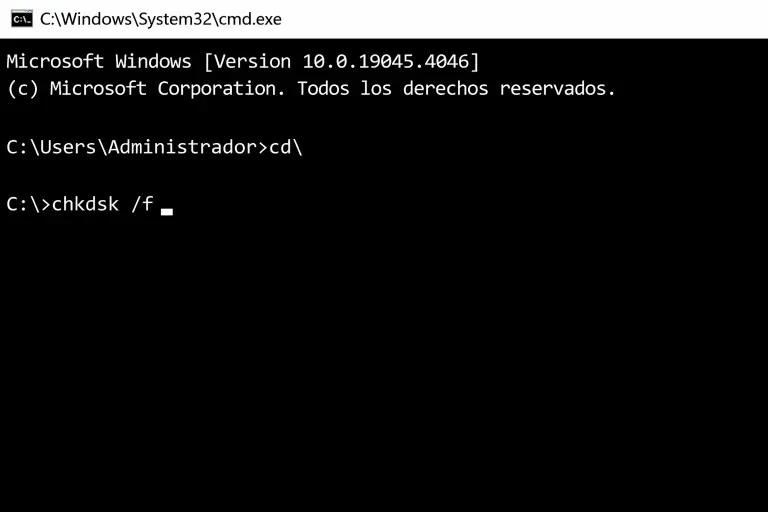
CHKDSK (Check Disk) is a Windows tool designed to analyse the state of a disk and fix file system errors.
Its purpose is simple: detect corruption and prevent data loss.
But there’s a pattern that keeps repeating.
CHKDSK doesn’t appear when everything is working fine.
It shows up when something is already starting to break.
The system gets slower
Files start failing
Things don’t respond like they used to
And at that point, most people make an automatic decision:
“I’ll just run CHKDSK and that’s it”
That’s the first mistake.
CHKDSK is a repair tool for specific issues, not a full diagnosis.
How to use CHKDSK properly (and not waste time)
Running it is easy. Using it correctly is not.
Step 1: open command prompt as administrator
Without elevated permissions, you won’t be able to fix real errors.
Search for “cmd”, right-click and run as administrator.
Step 2: run the right command
chkdsk C: /f /r /x
This is where most people fall short.
/f fixes file system errors
/r scans for bad sectors
/x dismounts the volume to avoid conflicts
If you don’t use these parameters correctly, you can run CHKDSK… and fix nothing.
Step 3: understand it’s not instant
CHKDSK is not a magic button.
It takes time depending on the disk size and condition.
And most importantly: finishing doesn’t mean the problem is solved.
What CHKDSK actually fixes
CHKDSK works on two very specific types of issues.
Logical errors
Corrupted files
Broken structures
System inconsistencies
Physical errors
Bad sectors on the disk
Situations where it works:
Unexpected shutdowns
Files that won’t open
Errors when copying or moving data
Disks starting to show warnings
In these cases, it’s useful.
But this is where things get interesting.
Why you can run CHKDSK and still have problems
This is where most people get stuck.
You run CHKDSK
It doesn’t show major errors
But the problem is still there
Your website is still slow
The system still feels unstable
Issues keep showing up
And you don’t understand why.
The answer is simple: you’re looking in the wrong place.
What CHKDSK won’t fix (no matter how many times you run it)
CHKDSK has nothing to do with:
Server performance
Website loading speed
Shared hosting limitations
CPU or RAM issues
Network latency
Poor server configuration
And yet, many people try to use it as a general solution.
It’s like trying to improve a car’s speed by checking the wheels
when the problem is in the engine
The mistake almost everyone makes without realising
When something fails, we look for a specific cause.
A file
A plugin
A single error
But very few people look at the foundation: the infrastructure.
If that foundation is weak, problems don’t disappear
They repeat
In different ways
At different times
But they always come back
How to tell the difference between a disk issue and an environment issue
Here’s a simple way to understand it.
If it’s a disk issue:
Errors when opening files
Read/write errors
System messages related to the disk
Problems even with no load
If it’s an environment issue:
The website is slow
There are random crashes
Performance changes depending on the moment
There are no clear errors, but something feels off
This second case is the most common in web projects.
And here, CHKDSK is useless.
What you should actually analyse if you have a website
If you’re working with a website or online project, there are far more important factors:
Server response time
Real CPU and RAM capacity
Storage type (NVMe vs HDD)
Server technology (LiteSpeed, cache, HTTP/3)
Server location relative to your audience
This is what determines everything.
Not a command.
Where things really start to change (and almost nobody looks)
This is where the shift happens.
You can keep fixing problems when they appear
Or you can remove the cause that creates them
If you’re working on a limited infrastructure:
There are always issues
There are always peaks
There’s always something that “doesn’t feel right”
If you’re working on a solid foundation:
Everything stabilises
Errors disappear
Performance stops being unpredictable
At JC Hosting the approach is exactly that.
Not fixing problems
But preventing them from appearing
Infrastructure based in Spain
NVMe storage
Optimised servers
Real technical support
It’s not a small improvement. It’s a change at the core.
Conclusion
CHKDSK is useful when the problem is the disk.
But using it as a general solution means wasting time in the wrong place.
The mistake isn’t the tool.
It’s not understanding what’s actually failing.