A fast WordPress site does not depend only on installing a cache plugin.
It depends on technical decisions that are often made before the CMS is even installed.
If your website loads slowly, there are usually three common scenarios:
- The server does not respond quickly.
- The configuration is not optimized.
- The project has grown, but the infrastructure has not.
And this is where most articles stay on the surface. Let’s go deeper.
What Does “Fast WordPress” Really Mean?
When we talk about speed, we are talking about:
- Initial server response time (TTFB)
- Time until the user sees meaningful content
- Stability under load
- Mobile performance
- SEO impact
If the server takes too long to respond, it does not matter how many plugins you install.
A slow WordPress site almost always starts with infrastructure.
Step 1: Check the Initial Server Response Time (TTFB)
If you want to know whether the issue is serious, start here.
A good server located in Spain should provide a stable and low TTFB when your audience is in Spain.
Factors that influence TTFB:
- Real server location
- Storage type (NVMe vs SATA)
- Web server technology (LiteSpeed vs traditional Apache)
- Resource saturation
When the server is located in another country, the IP is not Spanish, or resources are massively shared, the impact is noticeable.
At JC Hosting, we work with:
- Our own servers located in Spain
- Real Spanish IP addresses
- Optimized infrastructure
- LiteSpeed + NVMe storage
This is not marketing. It is real latency.
How TTFB Affects WordPress (and why it’s key for your speed)
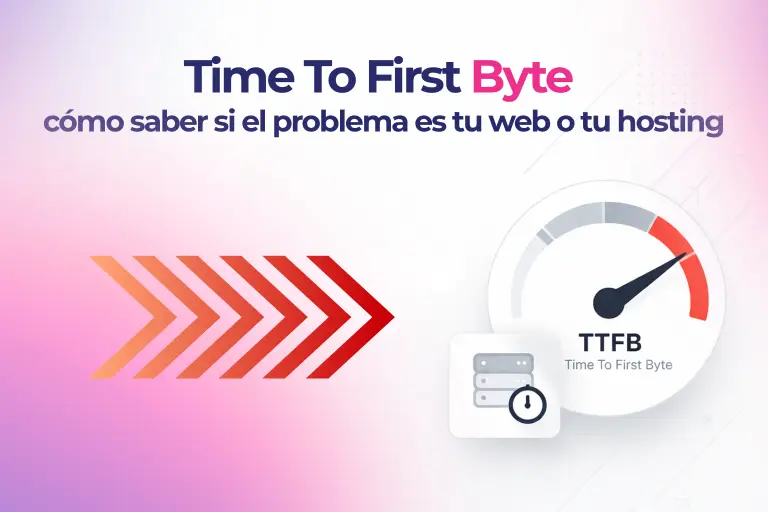
TTFB (Time To First Byte) measures how long your server takes to respond after a user (or Google) makes a request to your website. It’s the first step of the loading process. If it fails here, everything else doesn’t matter.
Reference values: What TTFB is good, bad, or critical?
| TTFB | Status | What does it mean for your WordPress? |
|---|---|---|
| < 100 ms | Excellent | Difficult to achieve. Only with dedicated servers, NVMe, and local location. |
| 100–300 ms | Good | Acceptable range. Google considers it correct. |
| 300–600 ms | Concerning | Starts to penalize SEO. Users notice waiting. |
| > 600 ms | Critical | Mass abandonment. Poor experience guaranteed. |
Real consequences of high TTFB
For WordPress SEO
- Google includes TTFB within LCP (Largest Contentful Paint), one of the Core Web Vitals.
- A high TTFB prevents you from passing Google’s speed evaluation, even if you have optimized images and cache enabled.
- Less crawling = new pages take days to index.
For experience and business
- The user thinks “your website is down” if it takes more than 1 second to start loading.
- Amazon calculated that 100ms of delay costs 1% of sales. Project that onto your business.
- On mobile (where the network is slower), a high TTFB multiplies frustration.
For your hosting budget
- An erratic TTFB (sometimes 200ms, sometimes 800ms) means your server is oversold or saturated.
- Paying for “cheap” hosting that gives high TTFB is more expensive in the long run due to loss of customers and SEO.
What a high TTFB does NOT solve
- ❌ Installing 3 different cache plugins
- ❌ Optimizing images with WebP
- ❌ Minifying CSS and JS
- ✅ Changing infrastructure or migrating servers
No plugin-level optimization can fix a slow server, poorly located (example: your audience in Spain and the server in the US), or with obsolete SATA disks.
So, what should I do if my TTFB is high?
Start by measuring properly. Don’t trust just one tool. Use:
- GTmetrix (from the location closest to your audience)
- WebPageTest
- KeyCDN TTFB Test (free and fast)
If you confirm that TTFB is the culprit…
I’ve written a complete article explaining how to measure it step by step, what values to expect based on your website type, and when it’s worth migrating: High TTFB in WordPress: causes, consequences, and definitive solutions
Two technical keys that complement speed
Beyond TTFB and cache, there are two good practices that make a difference in WordPress:
1. Test changes before publishing
Touching code, updating plugins, or modifying configuration directly in production is one of the most frequent causes of crashes and performance problems.
A staging environment allows you to:
- Test updates without risks
- Verify that speed doesn’t get worse
- Detect conflicts between plugins
Test changes in staging before publishing is the minimum required for a professional website.
2. Choose optimized WordPress hosting
Not just any hosting works. A low TTFB needs:
- Servers with LiteSpeed or Nginx
- NVMe disks (not SATA)
- Local location (Spanish IP if your audience is in Spain)
- Redis for object cache
When hosting is not optimized, no matter how much you tweak plugins, your website will continue to be slow.
If your server isn’t up to the task, consider migrating to a truly optimized WordPress hosting.
Step 2: Configure Cache Properly (Activating It Is Not Enough)
Many people search for “how to configure LiteSpeed Cache 2026” and end up activating options without understanding them.
A poor configuration can break:
- Design
- Shopping carts
- Private areas
- Forms
Real keys to optimizing WordPress with LiteSpeed:
- Enable page cache with proper exclusions
- Optimize CSS without breaking rendering
- Defer JavaScript with criteria
- Enable object cache if the server allows it
The difference is not only in the plugin. It is in having a server prepared to work with LiteSpeed.
Step 3: Optimize the WordPress Database
Over time, WordPress accumulates:
- Post revisions
- Expired transients
- Orphaned tables
- Data from removed plugins
This affects queries and response times.
For real WordPress optimization, you should:
- Clean revisions
- Optimize tables
- Review indexes
- Control autoload
A plugin can help, but if the server is slow reading and writing data, the bottleneck remains.
This is where NVMe storage makes a significant difference compared to older storage systems.
Step 4: Optimize WordPress for Mobile
Today, most traffic is mobile.
It is not just about reducing image size. It is about:
- Critical CSS loading
- Prioritizing visible content
- Avoiding unnecessary sliders
- Reducing external requests
A WordPress site that is fast on desktop but slow on mobile still harms SEO.
Step 5: Choose the Right Hosting (Not Just the Cheapest One)
Here comes the uncomfortable part.
The initial price may look attractive.
But what happens in year two?
You should check:
- Is it really hosted in Spain?
- Is the IP address Spanish?
- Are CPU limits clearly defined?
- What happens when your project grows?
Many slow WordPress cases we migrate were not badly designed.
They were badly hosted.
And when we migrate without touching design or plugins, the improvement is immediate.
Real Comparison: Optimize or Migrate?
| Situation | Optimize | Migrate |
|---|---|---|
| Saturated hosting | Not enough | Recommended |
| Poor cache configuration | Yes | Not necessary |
| High TTFB due to location | Not enough | Recommended |
| Old website without maintenance | + Cleanup | Depends |
There are moments when continuing to optimize is just patching.
Common Mistakes When Trying to Optimize WordPress
- Installing four cache plugins at the same time
- Activating every option without understanding it
- Using heavy themes with 30 scripts
- Ignoring the server
- Not checking logs
And a very common one:
Trying to do SEO in WordPress without a solid technical foundation.
A slow WordPress site affects:
- Core Web Vitals
- Crawling
- Conversion rate
- Advertising costs
Speed is not just technical. It is business.
What Would We Do If Your WordPress Is Slow?
- Measure TTFB
- Analyze real load
- Review the database
- Evaluate infrastructure
- Detect bottlenecks
And if the problem is hosting, we propose a zero-downtime migration.
We migrate with:
- Verified backup
- Controlled migration window
- Functional testing
- No SEO impact
Frequently Asked Questions
How can I make my WordPress faster if it is slow?
Start by measuring the server response time. Then review cache configuration, database status, and resource weight. If TTFB is high, you may need to change hosting.
Which plugin is best to optimize WordPress?
It depends on the server. LiteSpeed Cache works especially well when the server runs real LiteSpeed. In other environments, it may not deliver significant improvements.
Can a plugin reduce TTFB?
No. TTFB mainly depends on the server, its location, and the load of the environment.
Does optimizing WordPress improve SEO?
Yes. Google values user experience and speed. A fast WordPress site improves crawling and Core Web Vitals.
Is it worth migrating if my WordPress is slow?
If the problem is infrastructure, yes. Optimizing on saturated hosting is like tuning an engine that is limited by poor fuel.
If your website is slow and you are not sure whether the issue is technical or structural, we can analyze it with you.
And if the bottleneck is the server, we handle the migration without downtime, with real Spanish IP addresses, optimized infrastructure, and professional technical support in English and Spanish.
You can request an analysis or start your migration whenever you are ready.